

Set up bundles
A bundle is a SKU made of several of one single item, e.g. a serum sold on its own and as a set of 3. The shelves hold only the single item (the base item). When a bundle is packed, theopsroom takes that many base items off the shelf, and each bundle listing shows how many bundles the base item’s free units make.
Admins set up bundles. Sellers can set up their own too if you allow it on Settings: Products & orders (see Sell a set of several items). Staff can’t.
Before you start
Section titled “Before you start”- The bundle needs its own SKU with its own listing (e.g. KR-SERUM-30-X3). If it doesn’t have one yet, make it with Duplicate a product and publish it.
- The base item and the bundle belong to the same seller.
-
Open Stock → Inventory and find the bundle’s SKU.
-
Click its map pin (Where is it?). The SKU’s stock window opens.
-
Click Sold as a bundle….
-
In Items per bundle, type how many base items are in one bundle (2 to 100).
-
In Base item (the single item on the shelf), type the base item’s seller SKU or name, then click it in the list (or press Enter for the first). It shows a tick and its name.
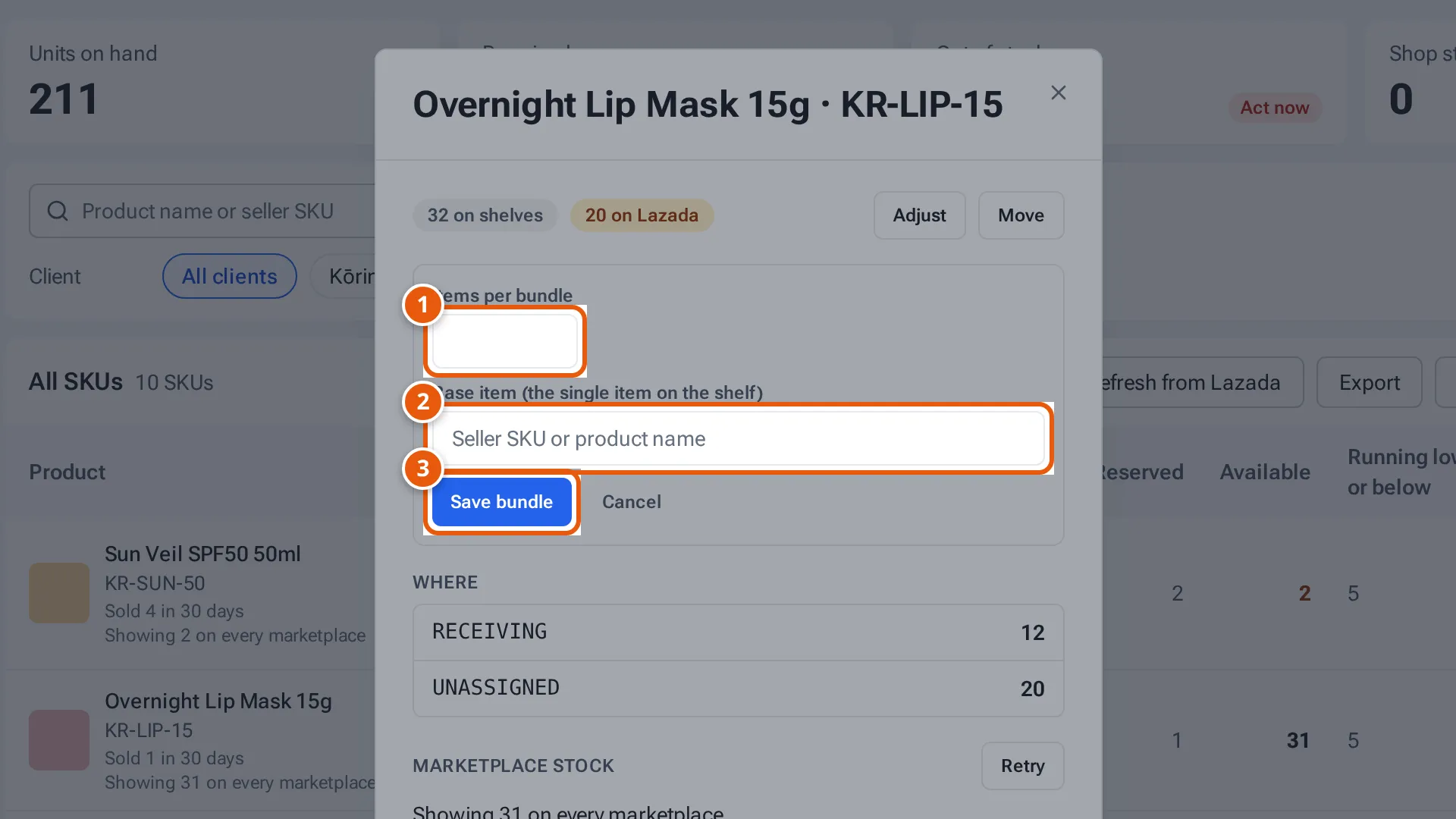
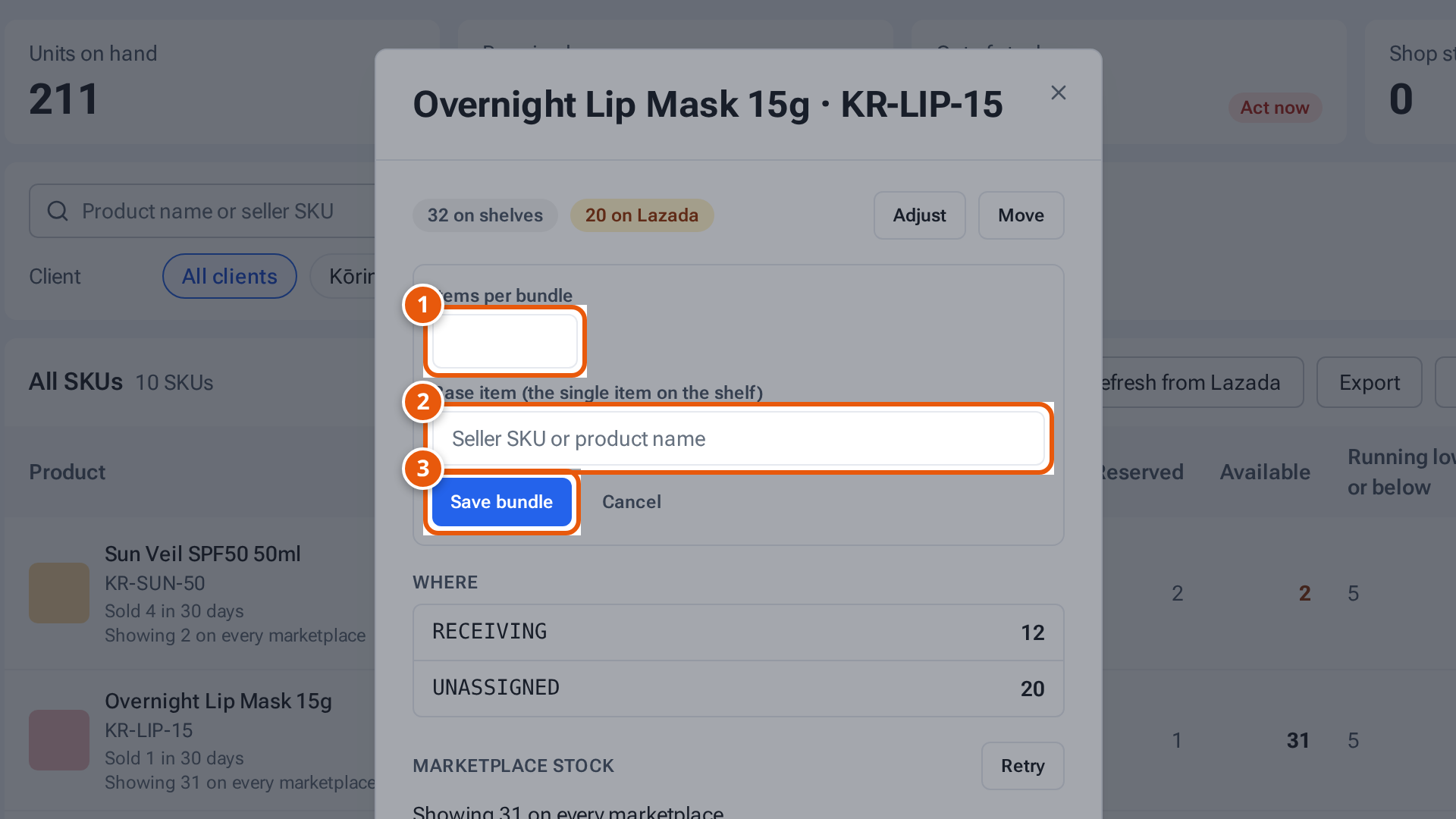
- 1. How many single items are in one bundle (2 to 100).
- 2. The single item on the shelf. Type its SKU or name, then click it.
- 3. Save the bundle.
Tap or click the picture to open it full size. -
If the bundle SKU has units on the shelves, a warning says they’ll be removed from theopsroom. Recount the base item afterwards.
-
Click Save bundle. The window shows “Bundle of 3 × …” and a history line with your name.
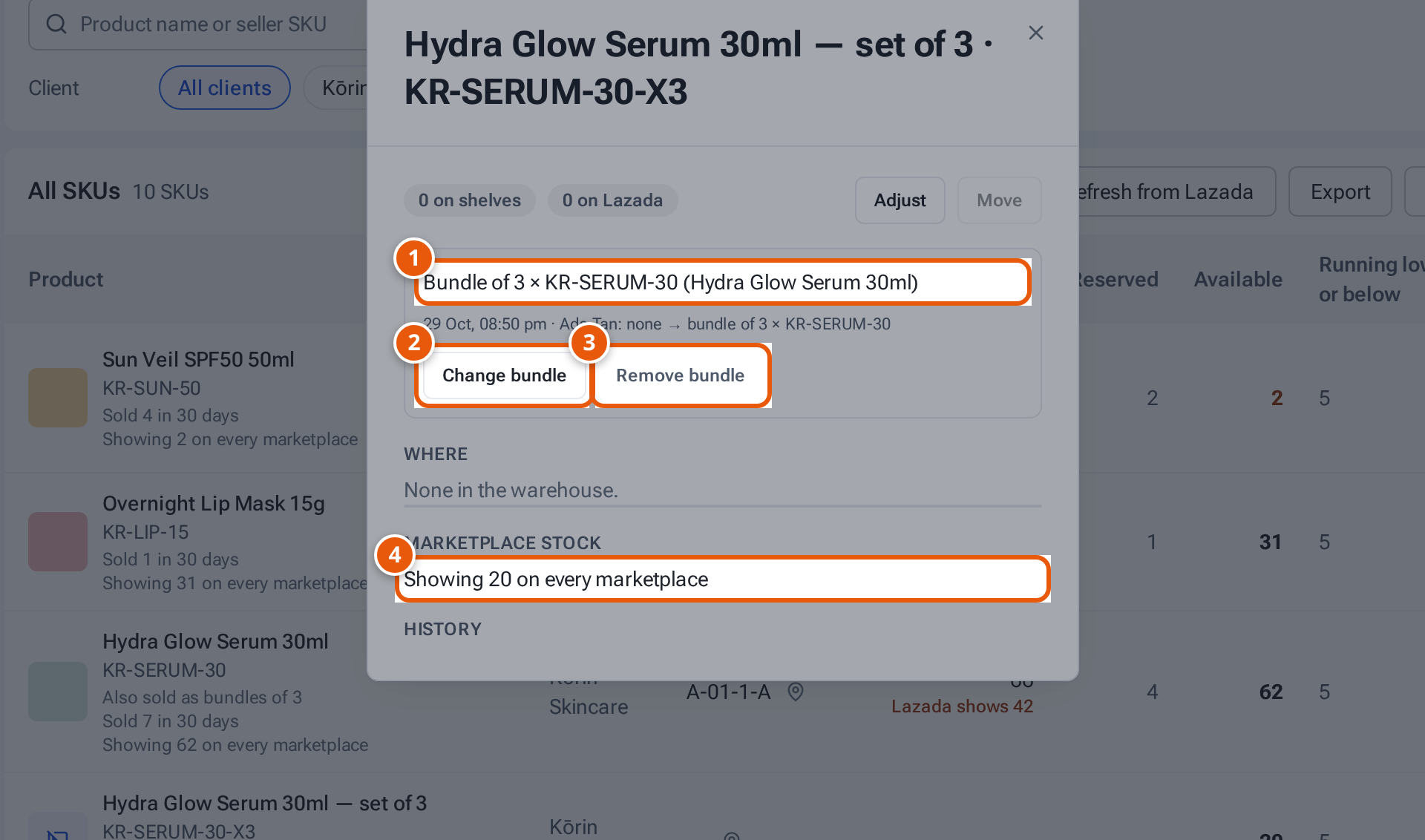
- 1. What the bundle is made of.
- 2. Change the number of items or the base item.
- 3. Stop selling it as a bundle.
- 4. How many bundles the base item’s free units make.
On Inventory, the bundle shows “Bundle of 3 × … · makes …”, and the base item shows “Also sold as bundles of …”.
Change or remove a bundle
Section titled “Change or remove a bundle”- Change bundle: change the number or the base item, then Save bundle.
- Remove bundle: confirm “Stop selling … as a bundle? It becomes a normal SKU with nothing on the shelves.”
A base item that has bundles doesn’t show these buttons.
What each button and field means
Section titled “What each button and field means”| Item | What it means |
|---|---|
| Items per bundle | How many base items make one bundle (2 to 100). |
| Base item (the single item on the shelf) | The item that’s actually on the shelves. |
| Save bundle / Cancel | Save, or close without saving. |
| “Marketplace update failing (… tries): … — retrying” | theopsroom couldn’t set the bundle’s stock on a marketplace and keeps trying. |
If something goes wrong
Section titled “If something goes wrong”| Message | Why | What to do |
|---|---|---|
| “Choose the base item” | No base item was clicked. | Type it, then click it in the list. |
| “A bundle has 2 to 100 items” | The number is out of range. | Enter 2 to 100. |
| “Choose a single item from the same seller” | The base item isn’t a single item of the same seller. | Choose the seller’s single item. |
| “Only admins can set up bundles” | A staff member tried. | Ask an admin. |