

Force import stock
Force import stock makes each SKU’s warehouse count match a marketplace: the marketplace’s stock, plus units on that marketplace’s orders not packed yet. Use it when a new seller starts with you, before you count their stock in, or to start again from the marketplace’s numbers. You see a preview before anything changes.
Before you start
Section titled “Before you start”- The shop is connected (see Look after shops).
- If the seller’s marketplace stock follows the warehouse, the new counts are then sent to every marketplace.
-
Open Admin → Shop Connections. Click ⋯ on the shop’s row and choose Force import stock (or the button in the shop’s details).
-
The window “Force import stock · …” shows “Reading the stock from …”, then the preview: e.g. “4 SKUs will change · 10 already match · 1 not found on Lazada”, or “Every SKU already matches …”.
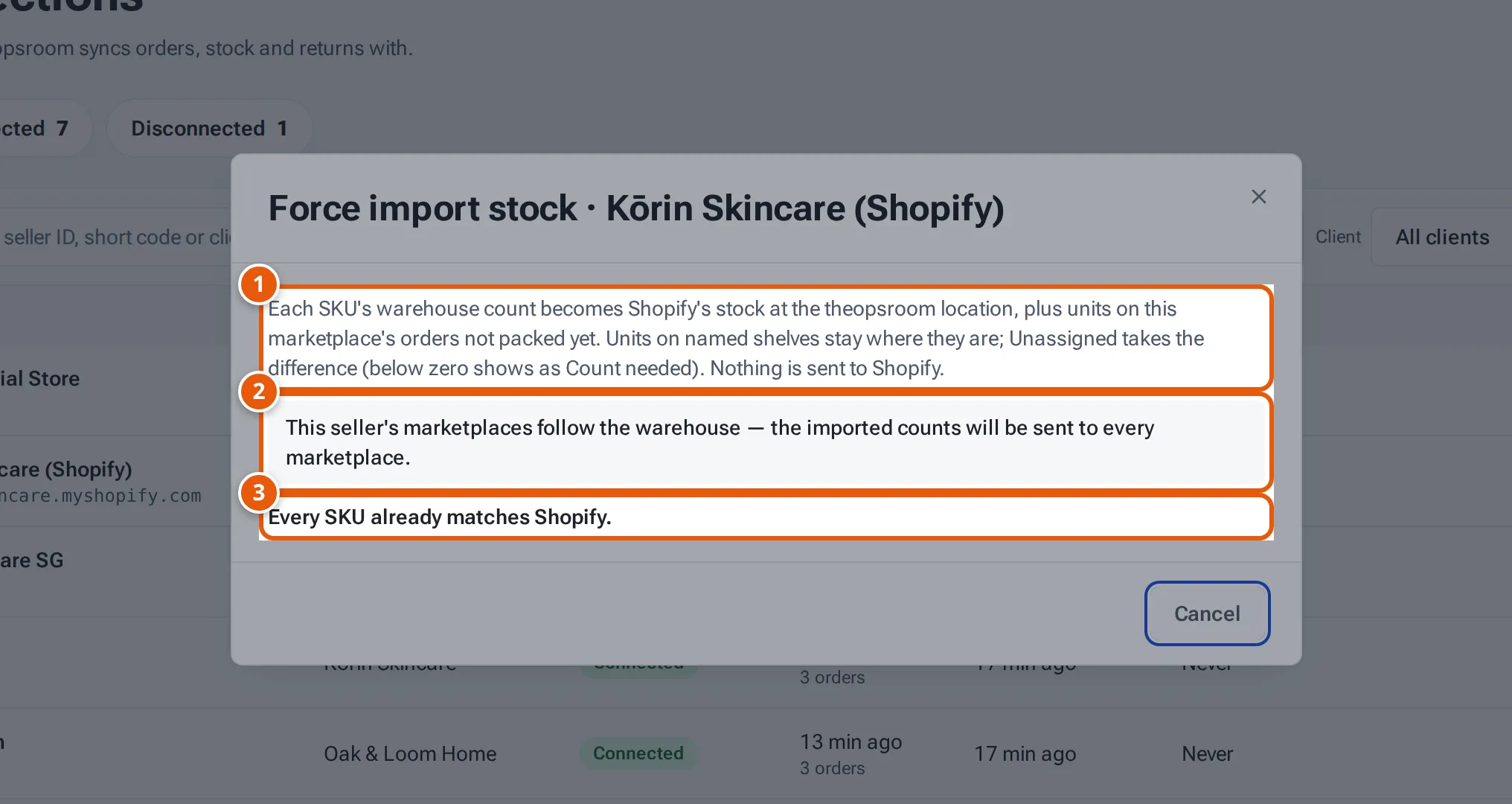
- 1. What the warehouse count becomes.
- 2. With stock sync on, the new counts then go to every marketplace.
- 3. The preview: what will change. Here, nothing needs to.
Tap or click the picture to open it full size. -
Check the table: Seller SKU, Product, the marketplace’s number (with “+… on unpacked orders”), and Warehouse (now → new).
-
Click Reset stock for … SKUs. You see “Stock reset from … for … SKUs.” and either “Nothing was sent to …” or “Every marketplace will be set to the new counts.”
What happens to the stock
Section titled “What happens to the stock”- Units on named shelves stay where they are. Unassigned takes the difference. If that goes below zero, it shows as Count needed: count those shelves.
- Each change is recorded in the SKU’s history as a recount, with “forced import · not sent to …”.
- Nothing is sent to the marketplace you imported from.
What each button and field means
Section titled “What each button and field means”| Item | What it means |
|---|---|
| Marketplace column | The marketplace’s stock (Lazada and Shopee: sellable stock; TikTok: the stock in the shop’s warehouse; Shopify: the stock at the fulfilment location theopsroom created). |
| Warehouse | theopsroom’s count now, and what it becomes. |
| “not found on …” | SKUs in theopsroom that the marketplace doesn’t have. They don’t change. |
| Reset stock for … SKUs | Apply the preview. |
If something goes wrong
Section titled “If something goes wrong”| Message | Why | What to do |
|---|---|---|
| “Couldn’t read the stock from …: …” | The marketplace didn’t answer. | Try again later; if it repeats, reconnect the shop. |
| “Force import stock isn’t available for … shops” | That marketplace isn’t supported. | Count the stock in instead. |