

Check in a returned parcel
When a returned parcel reaches the warehouse, scan it in on Returns. theopsroom marks the return as arrived and opens it, so you can check it.
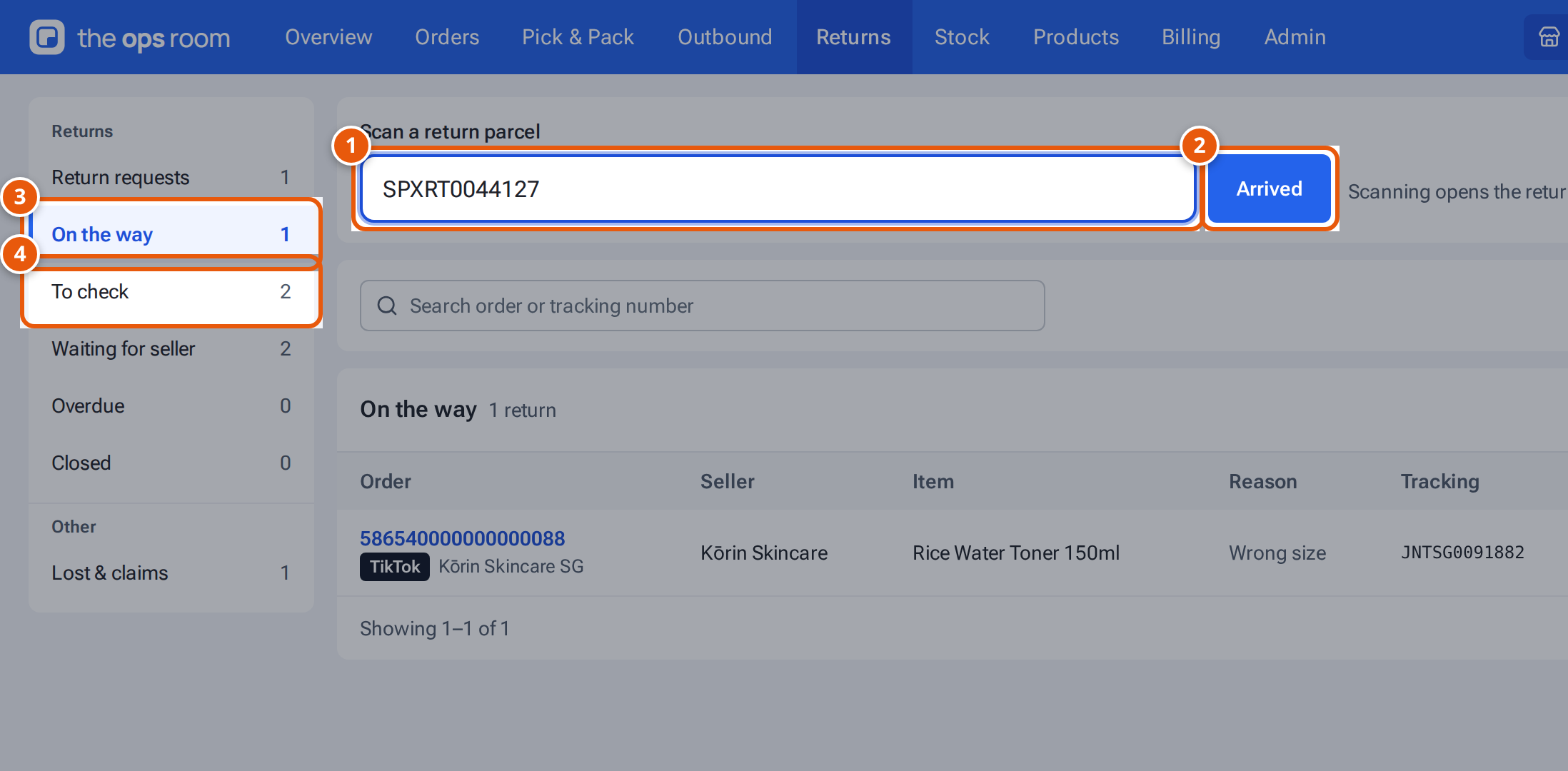
- 1. Scan the return parcel’s tracking number or order number.
- 2. Arrived marks it as here and opens it.
- 3. Returns on their way to the warehouse.
- 4. Returns that arrived and wait to be checked.
- Open Returns.
- Scan the return parcel’s tracking number, or the return code, into Scan a return parcel (the box says “Scan the tracking number or return code”). You can also type it. The order number works too. On a phone, tap the camera button beside the box to scan with the camera (in the Android app, the phone’s own scanner opens).
- Press Arrived (a scanner’s Enter does the same).
- The return opens. Its timeline says “Arrived — scanned by Sam Lim”. It now shows under the To check tab.
What Arrived does:
- A return theopsroom expected (under On the way or Overdue) is marked as arrived.
- A return that is already here just opens.
- A parcel theopsroom didn’t expect, for an order it knows, starts a new return marked Arrived unannounced, with the order’s items.
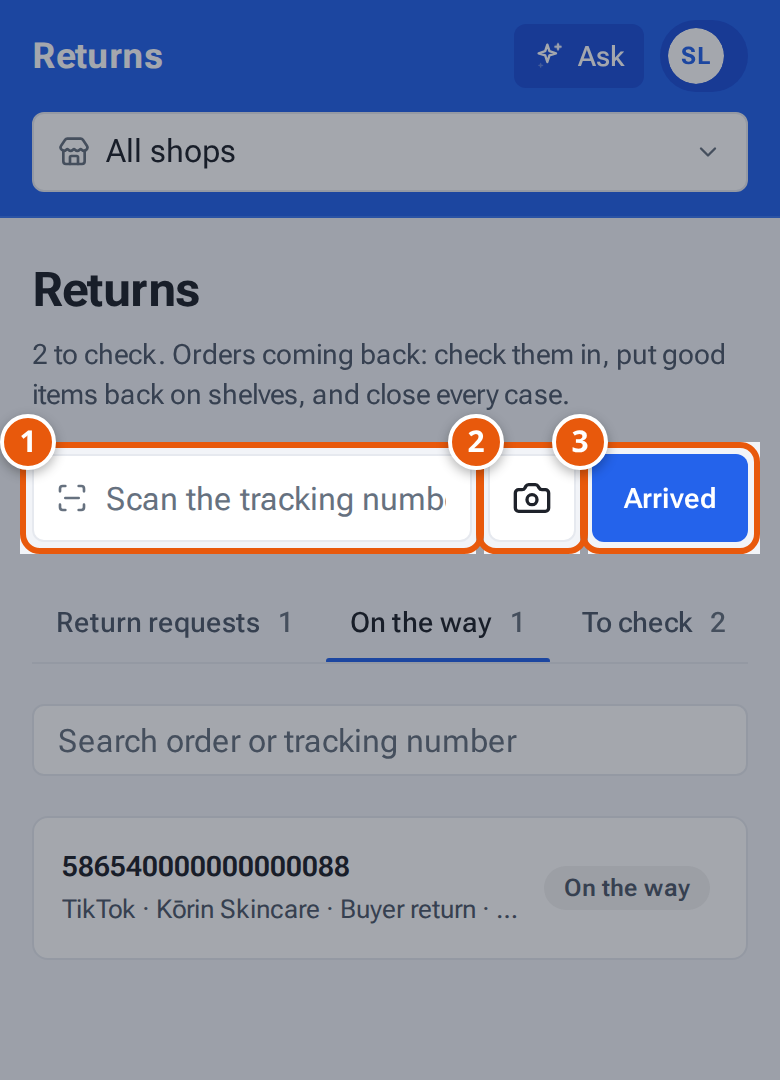
- 1. Type or scan the return parcel’s tracking number or order number.
- 2. Scan the parcel’s barcode with the phone’s camera.
- 3. Arrived marks it as here and opens it.
The Returns stages
Section titled “The Returns stages”On a computer these are in the menu on the left, with a count beside each; on a phone they are tabs, with counts too. Lost & claims sits under Other in the menu.
| Stage | What’s in it |
|---|---|
| Return requests | Buyers’ return requests the seller still has to answer. |
| On the way | Returns on their way to the warehouse. |
| Overdue | Returns on their way for longer than the overdue limit. |
| To check | Returns that arrived and wait to be checked, and checked ones. |
| Waiting for seller | Returns waiting for the seller’s decision. |
| Lost & claims | Returns that never arrived. |
| Closed | Finished returns. |
A long list is split into pages. On a computer, use the page numbers at the bottom (“Showing 1–50 of 120”). On a phone, tap Load more at the bottom to add the next orders to the list.
More about the list: The Returns list.
If something goes wrong
Section titled “If something goes wrong”| Message | Why | What to do |
|---|---|---|
| “Scan or type a tracking or order number” | The box is empty. | Scan the parcel. |
| “No order or return matches that code” | theopsroom doesn’t know that number. | Try the order number from the parcel or the packing slip. If nothing matches, keep the parcel aside and tell the seller. |
| “This order already has an unannounced return” | It was scanned in before. | Open it from the To check tab. |