

Platform: Operators
An operator is one warehouse business on theopsroom, with its own clients, shops, users and website. A platform admin who has not switched into an operator sees only the Platform menu: Operators, Websites, Templates, All users, theopsroom website and Settings.
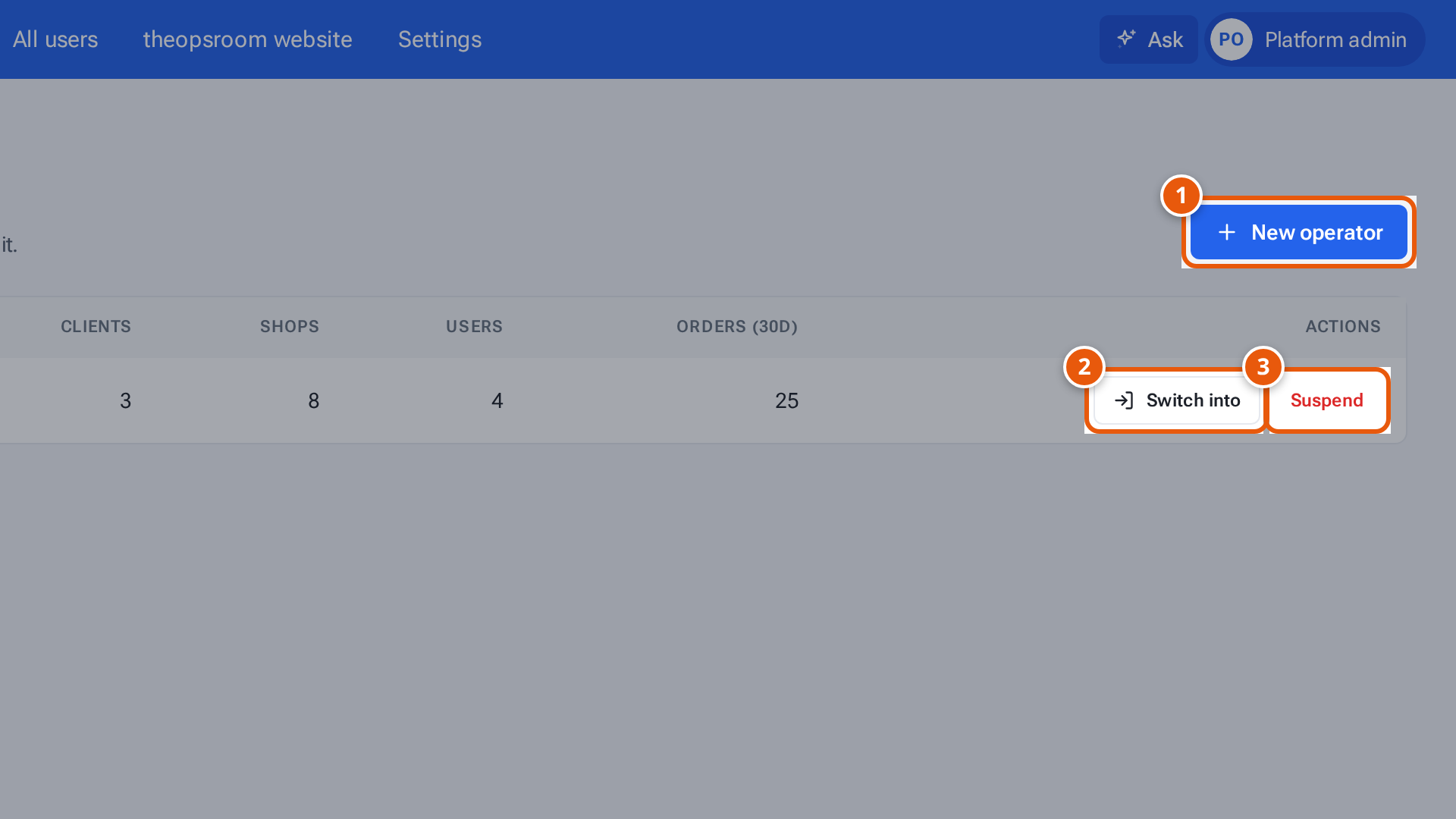
- 1. Add a new business to the platform.
- 2. Switch into an operator to work inside it.
- 3. Suspend stops its people signing in.
The Operators list
Section titled “The Operators list”Open Platform → Operators. Each row shows the operator’s Status, and how many Clients, Shops and Users it has and its Orders (30d) (orders in the last 30 days).
The row for theopsroom’s own website says Platform site and has only Edit the website, which opens the theopsroom website editor.
Add a new operator
Section titled “Add a new operator”- Press New operator.
- Type the Operator name and the Admin email of the person who will run it.
- Press Create operator. A window, Operator invite link, shows the link.
- Copy it and send it to that admin: “Send this link to the operator’s admin — it works once and expires in 7 days.”
The admin opens the link, sets a password, and signs in to their own empty operator. From there they follow Admins: start here.
Switch into an operator
Section titled “Switch into an operator”To look at an operator’s data or set something up for it:
- Press Switch into on its row. You land on that operator’s Orders.
- A bar at the top says “Viewing as Operator — what you change is recorded under your name.” Everything you see and change belongs to that operator.
- Press Exit on the bar to go back to the Platform menu.
Suspend and reactivate
Section titled “Suspend and reactivate”- Suspend asks “Suspend Operator?” and explains: “Nobody in this operator can sign in until you reactivate it. Its data is kept.” Press Suspend to confirm. The status changes to Suspended.
- Reactivate brings it back: “Operator is active again.”
If something goes wrong
Section titled “If something goes wrong”| What you see | Why | What to do |
|---|---|---|
| A red message under the heading | The list couldn’t be loaded. | Reload the page. |
| “An operator with this name already exists” | Another operator has the name. | Choose a different name. |
| “This person already has an account” | The admin email is already in use. | Use a different email. |