

Delete a shop and its data
Disconnecting a shop stops syncing but keeps its orders. If you no longer need anything from the shop, you can delete it and its data. This can’t be undone. Nothing changes on the marketplace.
Before you start
Section titled “Before you start”- Disconnect the shop first (see Look after shops). Delete… only appears for disconnected shops.
- Wait for any product import to finish.
- Open Admin → Shop Connections. Click ⋯ on the disconnected shop’s row and choose Delete… (or Delete shop and its data… in its details).
- The window “Delete … and all its data” counts what will go: orders, returns, listings and listing templates.
- Type the shop’s name exactly in Type … to confirm.
- Click Delete permanently. It shows Deleting….
- You see a message with the shop’s name and what was deleted. The shop is gone from the list.
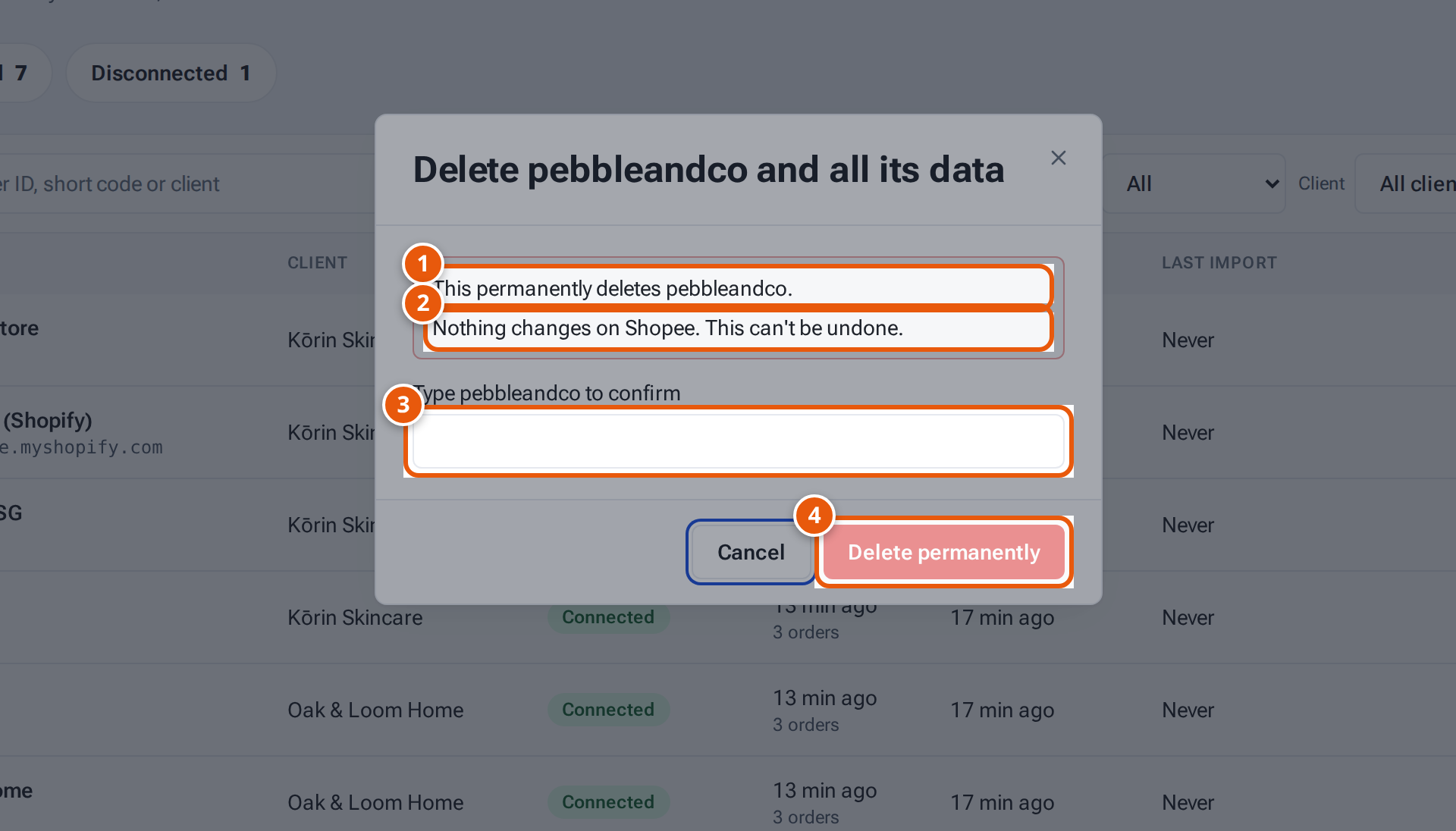
- 1. What will be deleted.
- 2. The shop on the marketplace stays as it is.
- 3. Type the shop’s name exactly.
- 4. Delete permanently. It can’t be undone.
Products stay in theopsroom: only the shop’s listings of them go.
What the window tells you
Section titled “What the window tells you”| Line | What it means |
|---|---|
| “This permanently deletes …” | What will be deleted, counted. |
| “… gift rule(s) only for … will be paused.” | Gift rules for this shop alone stop working. |
| “… gift rule(s) will no longer include ….” | Gift rules for several shops drop this one. |
| “Nothing changes on …. This can’t be undone.” | The shop on the marketplace stays as it is. |
If something goes wrong
Section titled “If something goes wrong”| Message | Why | What to do |
|---|---|---|
| “Disconnect … first” | The shop is still connected. | Disconnect it, then delete. |
| “Wait for the product import to finish” | An import is running. | Try again when it’s done. |
| “Type the name exactly to confirm” | The typed name doesn’t match. | Type it exactly. |
| “Lost the connection while deleting. theopsroom may still be finishing — check again in a minute.” | Your connection dropped. | Wait and reload the page. |