

Put stock away
Put away lists stock waiting for a shelf: stock just received, and stock that was here before shelves were set up (“Not on a shelf yet”). Scan the item, then the shelf.
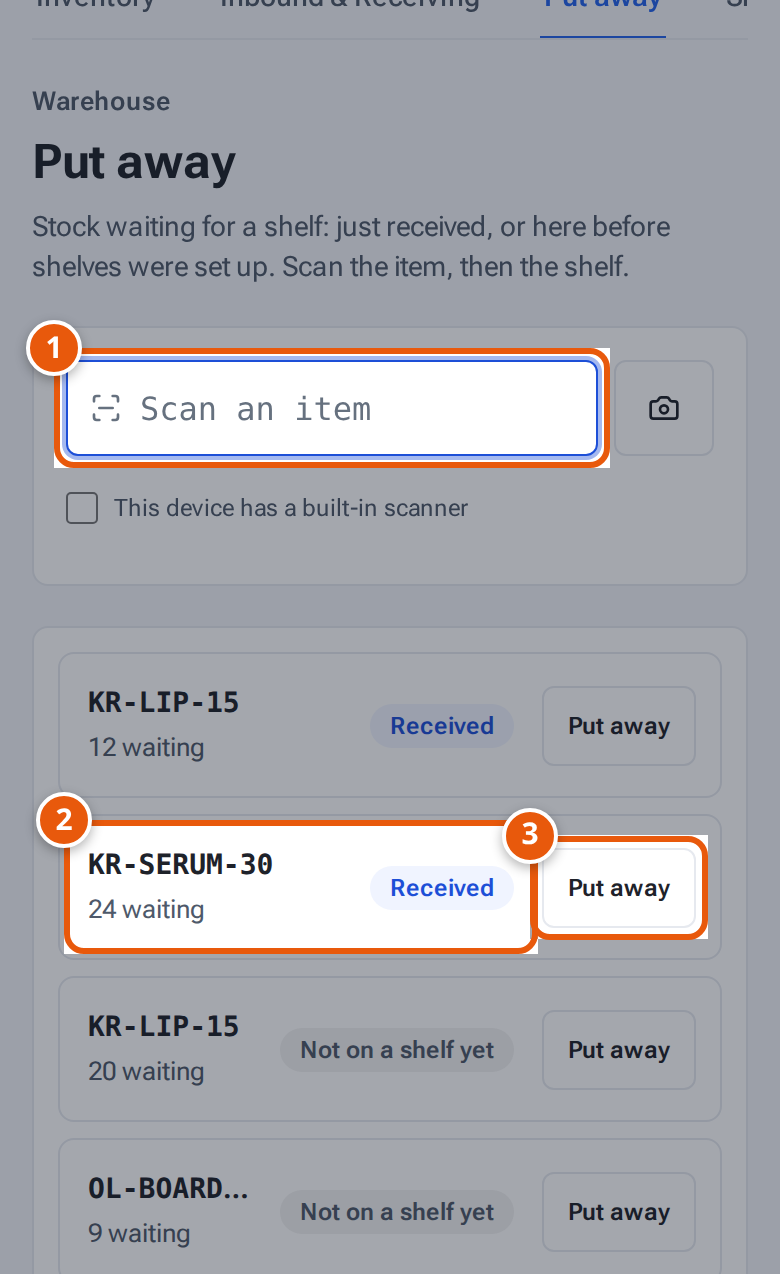
- 1. Scan the item you are putting away.
- 2. Stock waiting for a shelf: here, 24 just received.
- 3. Or tap Put away to choose it without scanning.
Before you start
Section titled “Before you start”The shelves have labels. See Shelves and shelf labels.
- Open Stock, then the Put away tab of Inventory.
- Scan the item into Scan an item. Or tap Put away next to it in the list to choose it without scanning.
- theopsroom shows the item, how many are waiting, and where it already is, for example “Already on A-01-1-A (42)”. If it’s on no shelf yet: “Not on any shelf yet — choose a free one.” With a floor plan, it also suggests a shelf with a small map: one that already holds the item and has room, or else an empty shelf the units fit (busy items in fast pick). Any shelf you scan still works.
- How many is filled in with all of them. Change it if you’re putting only some on this shelf.
- Scan the shelf’s label into Scan the shelf, or type its code (such as A-01-1-A) and press Enter.
- A notice says, for example, “24 × KR-SERUM-30 put on A-01-1-A.” The item leaves the list, or shows fewer waiting.
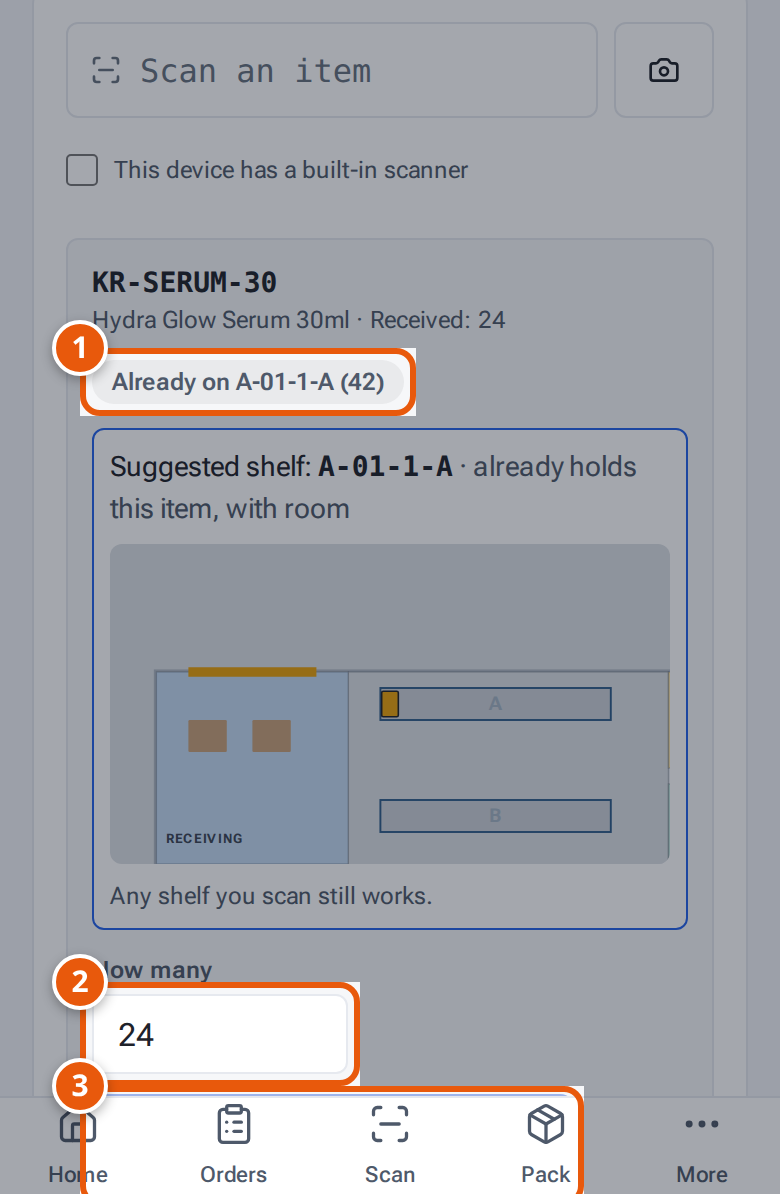
- 1. Where this SKU already is, so you can keep it together.
- 2. How many you are putting on the shelf (all of them at first).
- 3. Scan the shelf’s label, or type its code and press Enter.
When everything is done the page says “Everything is on a shelf.”
What each button and field means
Section titled “What each button and field means”| Name | What it does |
|---|---|
| Received | Stock from a completed receipt, waiting in Receiving. |
| Not on a shelf yet | Stock in theopsroom from before shelves were set up (Unassigned). |
| “24 waiting · Kōrin Skincare” | How many wait, and whose stock it is. |
| How many | How many go on the shelf you scan next. |
| Scan the shelf | The shelf’s label or code. |
If something goes wrong
Section titled “If something goes wrong”| Message | Why | What to do |
|---|---|---|
| “Nothing waiting for KR-SERUM-30 — it may already be on a shelf.” | Nothing of that item waits to be put away. | Check Inventory to see where it is. |
| “Not found” | No shelf has that code. | Check the label, or type the code. |
| “A-01-1-A is switched off” | That shelf isn’t in use. | Choose another shelf, or ask an admin. |
| “Only 24 on RECEIVING” | You asked to put away more than are waiting. | Lower How many. |
| “Quantity must be a whole number from 1 to 100,000” | How many isn’t a whole number. | Fix the number. |
| “Put away takes stock from Receiving or Unassigned — use Move between shelves” | The stock is already on a shelf. | Use Move in Inventory. See Find, adjust and move stock. |