

Platform: Websites
Platform → Websites shows every operator’s public website: its brand address, its own domains and whether something is live.
Before you start
Section titled “Before you start”Websites need hosting settings. If the page says “Hosting isn’t set up yet”, set it up first in Platform: Settings.
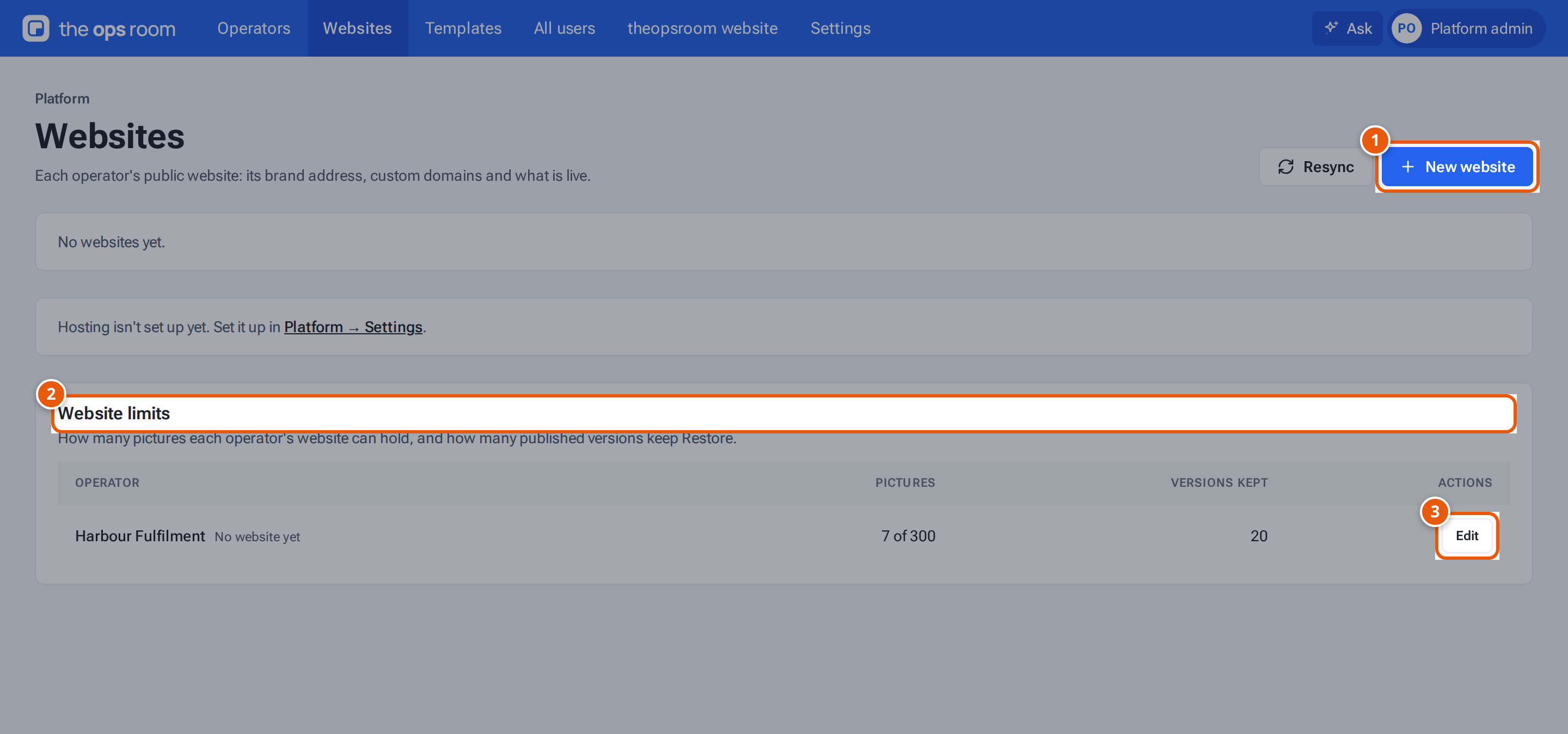
- 1. Set up a website for an operator.
- 2. How many pictures and kept versions each website may hold.
- 3. Change one operator’s limits.
One card per operator
Section titled “One card per operator”Each card shows the operator, its website address (a link), and a badge:
| Badge | What it means |
|---|---|
| Version N live | The operator has published, and version N is on the internet. |
| First build on its way | The first publish is being built. |
| Not published yet | The website exists but nothing is published. |
| Not synced yet | The address table doesn’t know this website yet. Press Resync at the top. |
Under it, each address has a label (Brand address, Main address or Custom domain) and a state: Live, Waiting for DNS, Failed or Removed.
Create a website for an operator
Section titled “Create a website for an operator”- Press New website (it is switched off when every operator already has one).
- Choose the Operator and type a Name, for example
acme. The window shows the address it will get: name.your sites domain. Use 3 to 32 letters, numbers or hyphens. - Press Create website. “Website created. Publish it from inside the operator to put it online.”
To publish it, switch into the operator, or ask its website editor to.
Add a custom domain
Section titled “Add a custom domain”An operator can use its own address, such as www.harbourfulfilment.sg.
- Press Add domain on the operator’s card.
- Type the Domain. Use the
wwwaddress. A bare domain such asharbourfulfilment.sgneeds a redirect service. - Press Add domain. “Domain added. Ask the owner to add the DNS records shown.”
- The domain’s card lists the DNS records (Type, Name, Value, Why). Send them to whoever manages the domain. They go in the domain’s DNS provider. The state changes to Live within minutes of Cloudflare seeing them (it checks every 5 minutes).
- Press Check now to check straight away. It says “Checked: still waiting for DNS” if nothing changed.
If Cloudflare refuses the domain, the state is Failed with the reason, and the button says Try again. Remove takes a custom domain off: the website stops answering on it at once, and the brand address keeps working.
Delete a website
Section titled “Delete a website”Press Delete website on the card. Type the website’s address to confirm. This removes the website, its addresses and its published files, and can’t be undone. The operator keeps their editor content, pictures and version history, and you can create a new website for them later.
Website limits
Section titled “Website limits”The Website limits card sets, for each operator:
- Picture limit: how many pictures the website can hold, from 10 to 5000.
- Versions kept for rollback: how many published versions keep Restore to draft, from 1 to 100.
Press Edit, change the numbers and press Save. Lowering the picture limit below what the operator already has blocks new uploads until they delete some; nothing is deleted for them. Lowering the versions kept means that at the next publish, older versions lose Restore, and published pictures only they use are deleted.
Resync
Section titled “Resync”Resync rewrites the address table that tells the website server which website belongs to which address. Use it when a website shows Not synced yet or after changing hosting settings.