

Platform: Settings
Platform → Settings holds settings that apply to every operator. It has two cards.
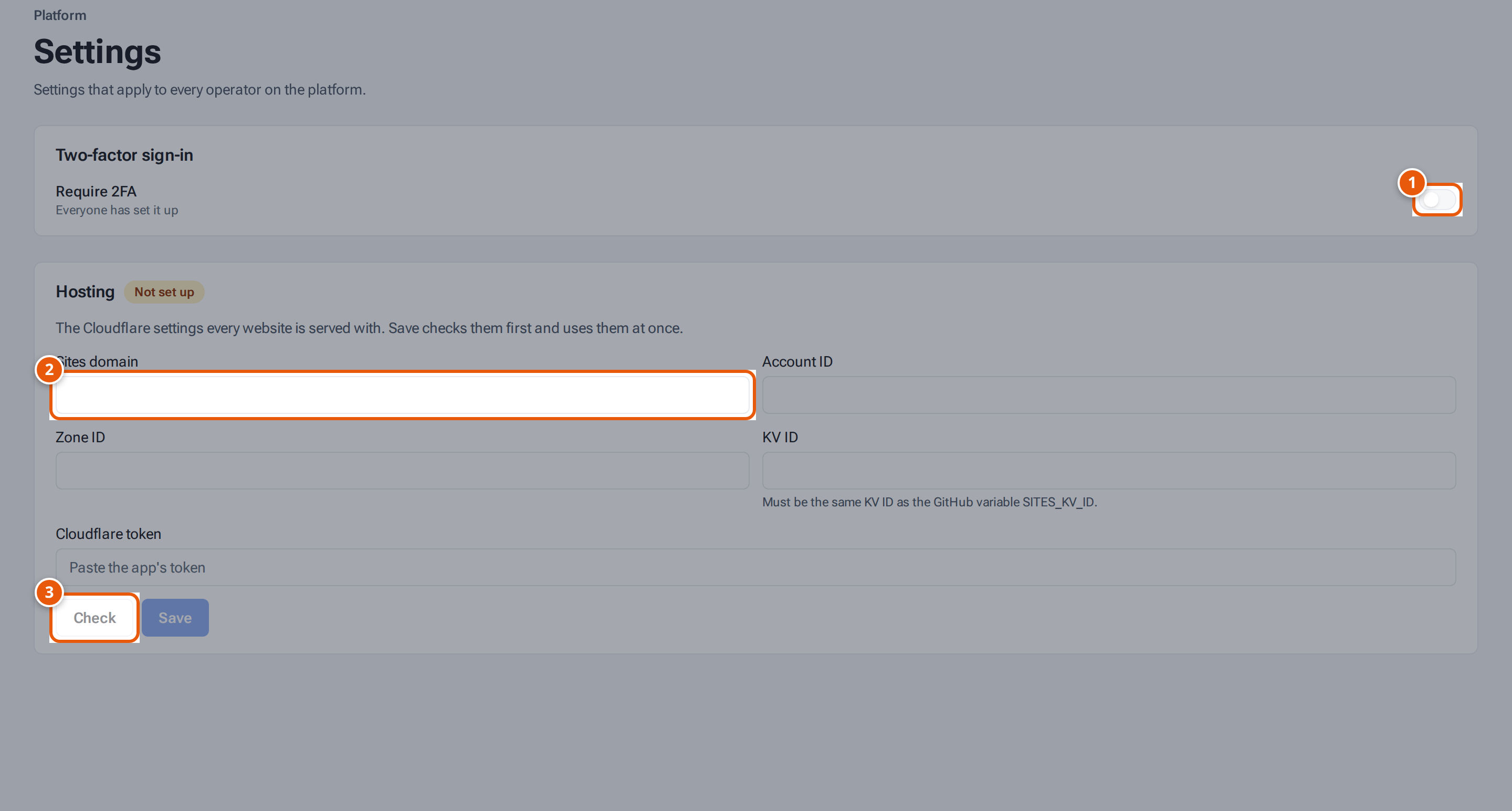
- 1. Require two-factor sign-in for everyone on the platform.
- 2. The Cloudflare settings every website is served with.
- 3. Check the settings before saving them.
Two-factor sign-in
Section titled “Two-factor sign-in”The switch Require 2FA makes everyone set up two-factor sign-in. Under it, a line says how many people haven’t done it yet (“Everyone has set it up”, “1 person hasn’t set it up yet” or “N people haven’t set it up yet”). Switching it on asks Require 2FA for everyone?: they set it up at their next sign-in. Press Turn on. See Require 2FA for everyone.
Hosting
Section titled “Hosting”The Hosting card holds the Cloudflare settings every operator website is served with. A badge says where they come from: Not set up, Using the settings in Render, or “Saved in the app” with who changed them last and when.
| Field | What to put |
|---|---|
| Sites domain | The domain operator websites get their brand addresses under, such as theopsroom.io. |
| Account ID | Your Cloudflare account ID. |
| Zone ID | The Cloudflare zone for that domain. |
| KV ID | The ID of the Cloudflare KV store the website server reads. It must be the same one the website server is deployed with. |
| Cloudflare token | A token that may edit those. It is stored encrypted and never shown again; leave it empty to keep the saved one. |
- Fill the fields.
- Press Check. A list of ticks and crosses shows what worked and what didn’t.
- Press Save. “Saved. Hosting uses these settings now.” Save checks them first too.
The Sites domain and Zone ID can’t be changed while any website still has its own custom domains: “Remove every website’s own domains first: they are registered under the current sites domain and would stop working.” Remove those domains on Platform: Websites first.
If some websites still use an older sites domain, a line says so and offers Move brand addresses. Press it to move them. A message says how many were moved and lists any that weren’t.