Write with AI drafts a product’s description and highlights from its name, brand, variations, photos and anything
you tell it. Nothing is saved until you save the product, so you can read and change the draft first.
Open the product (or start a new one) and go to Description & highlights.
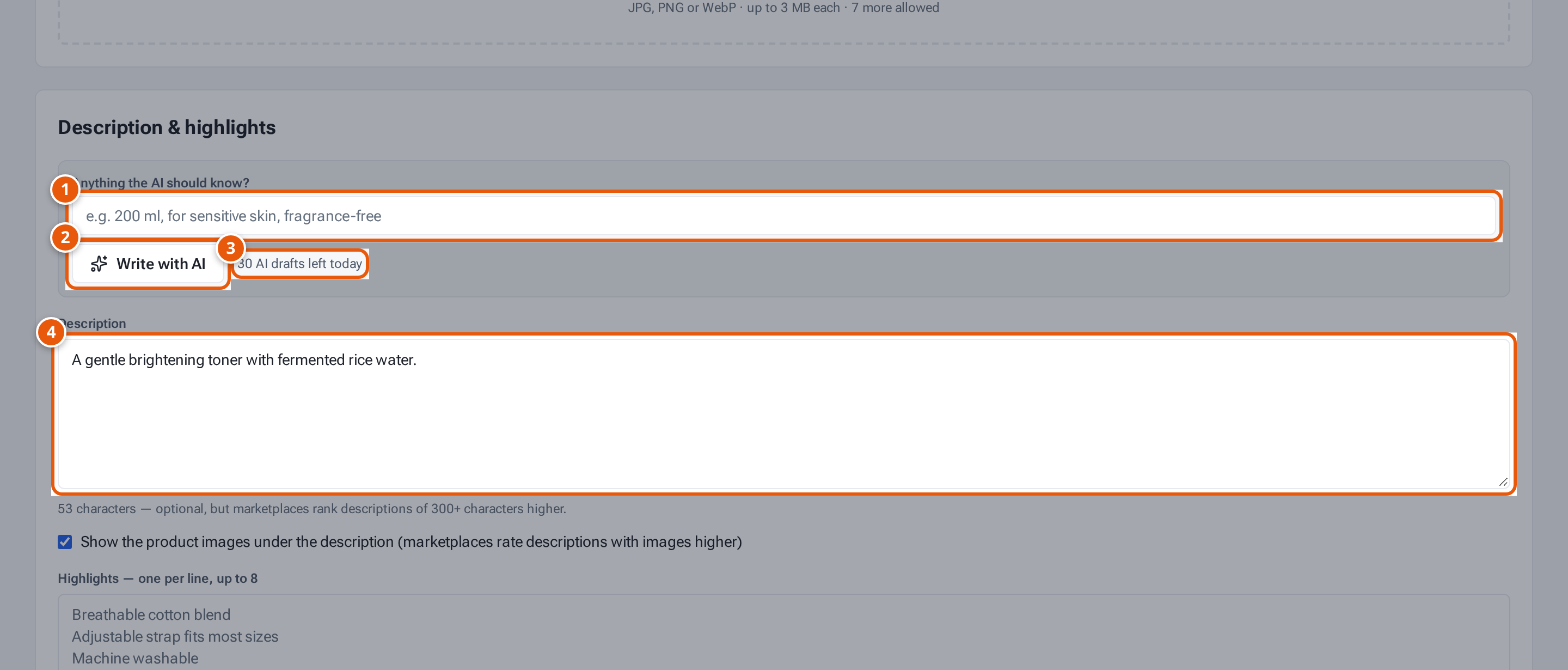
In Anything the AI should know?, type facts the AI can’t see, such as “200 ml, for sensitive skin,
fragrance-free” (up to 500 characters).
Click Write with AI. It shows “Writing…” for a few seconds.
If the description or highlights already have text, theopsroom asks “Replace your description and highlights with the
AI draft?”. Click OK to replace them.
The draft fills Description and Highlights. Read it and change anything that isn’t right.
Click Save.
11. Facts the AI should use, such as size or skin type.
22. Write a draft description and highlights.
33. How many drafts you have left today.
44. The draft lands here. Read and change it, then Save.