

Accept an invite
An admin creates your account by sending you an invite link. The link is for your email address and role, and works for 7 days.
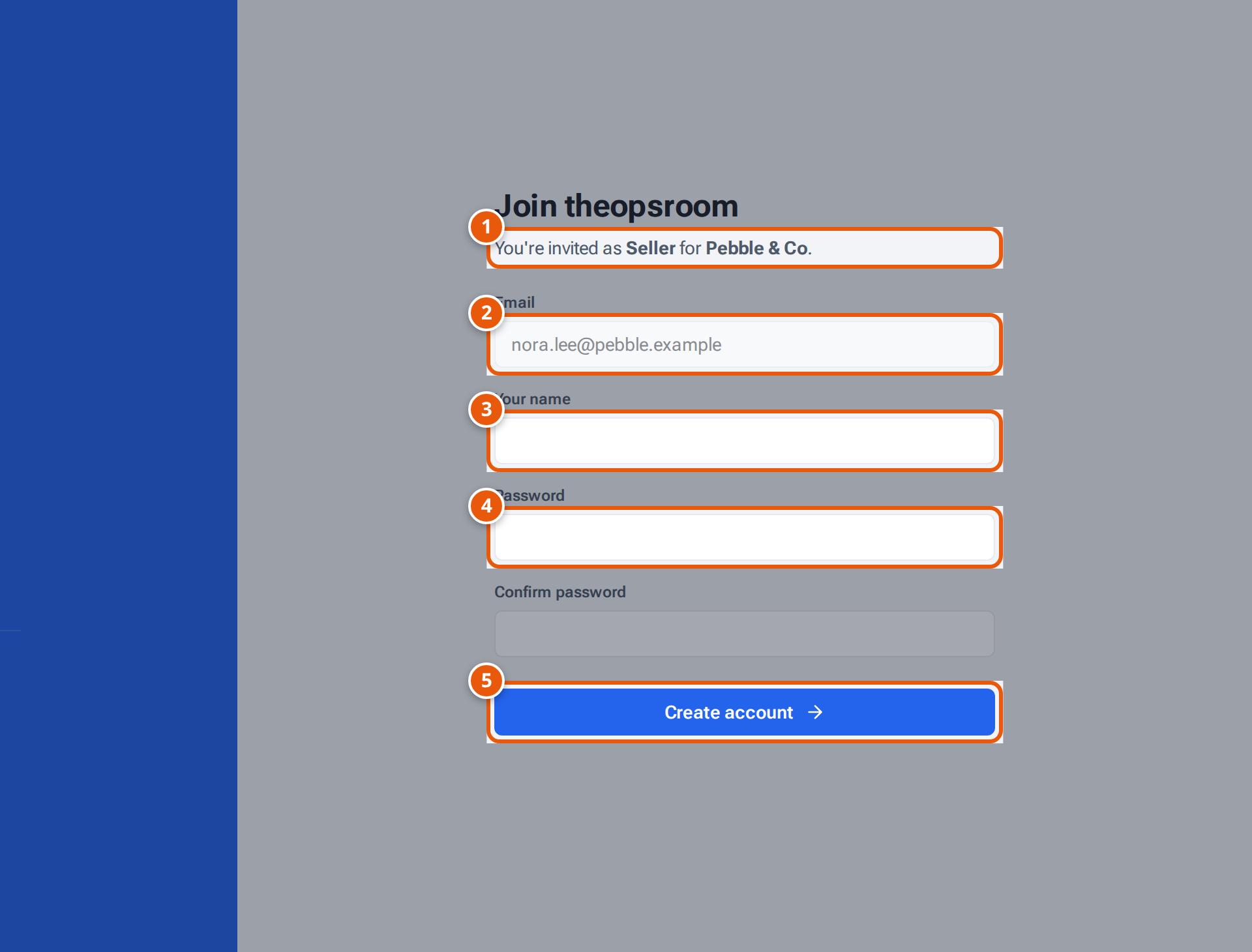
- 1. Who the invite is for: the role, and for a seller, the client.
- 2. The invited email address. It can’t be changed.
- 3. Your name, as others see it in theopsroom.
- 4. Choose a password of at least 12 characters, and type it again below.
- 5. Create your account. You’re signed in straight away.
- Open the invite link. You see Join theopsroom and “You’re invited as” your role (and, for a seller, the client you belong to).
- Check the Email. It’s filled in and can’t be changed: the account is always for that address.
- Type Your name.
- Choose a Password of at least 12 characters and type it again in Confirm password.
- Press Create account. You’re signed in and see the Overview.
You can press Continue with Google instead of choosing a password, if Google sign-in is on. Sign in to Google with the invited email address. theopsroom takes your name from Google, and you sign in with Google from then on.
In the Android app, Google can’t accept invites. The app says “To accept with Google, open the invite link in your phone’s browser.” Do that, or choose a password in the app.
If something goes wrong
Section titled “If something goes wrong”| What you see | Why | What to do |
|---|---|---|
| Invite not valid — This invite link is no longer valid — ask an admin for a new one. | The link is older than 7 days, was already used, or was revoked. | Ask an admin for a new invite. |
| An account with this email already exists — sign in instead | You already have an account. | Sign in. |
| This invite is for … — sign in to Google with that account. | You chose a Google account with a different email. | Choose the invited Google account, or use a password. |
| Use at least 12 characters. / The passwords don’t match. | The password is too short, or the two don’t match. | Fix them and press Create account again. |
Related pages
Section titled “Related pages”- Sign in
- For admins: Invite someone