

Cancel and reissue, or resend an invoice email
A sent invoice can’t be edited. If it’s wrong, cancel it and send a corrected copy. If the seller didn’t get the email, send it again.
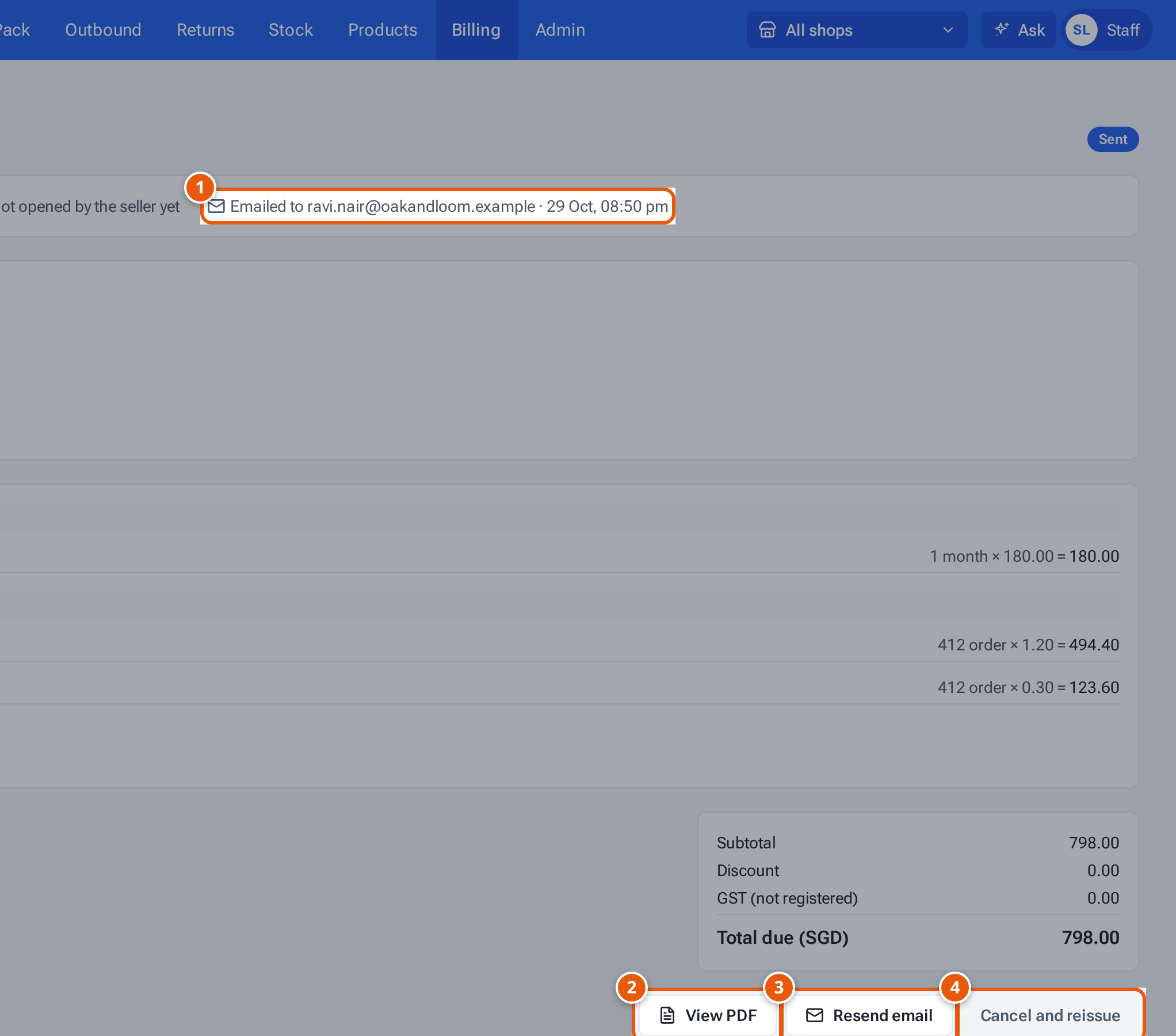
- 1. Who the invoice was emailed to, and when.
- 2. Open the invoice as sent.
- 3. Email it again.
- 4. Cancel it and start a corrected copy.
What the sent invoice shows
Section titled “What the sent invoice shows”At the top: “Sent 16 Oct, 08:54 pm by Ada Tan”, the due date, whether the seller has read it (“Read by the seller … · opened 2 time(s)” or “Not opened by the seller yet”), and the email line, for example “Emailed to ravi.nair@oakandloom.example · 16 Oct, 08:54 pm”.
Cancel and reissue
Section titled “Cancel and reissue”- Open the invoice from Billing.
- Press Cancel and reissue. theopsroom asks “Cancel INV-2026-0002 and start a corrected copy? The seller will see it as cancelled.” Press OK.
- The old invoice is marked Cancelled and a new draft opens, saying “Replaces INV-2026-0002.”, with every line un-ticked. You see “Cancelled — fix the new draft and send it.”
- Fix the lines, tick them, and press Send to seller, as in Make and send an invoice. The new invoice gets a new number.
Only sent or overdue invoices can be cancelled. A paid invoice must be marked unpaid first, which an admin does.
Resend the email
Section titled “Resend the email”- Open the invoice.
- Press Resend email. The invoice is emailed again to the seller’s billing email and CC emails. Once it’s paid, the receipt is sent instead.
- You see “Invoice emailed.” (or “Receipt emailed.”). If it fails, the notice says why.
Resend email is greyed out when the email isn’t set up. There are no automatic reminders: resend it when you need to.
View the PDF
Section titled “View the PDF”Press View PDF to see the invoice exactly as sent. See View and download a PDF.
What staff can’t do
Section titled “What staff can’t do”Marking paid, undoing paid and deleting sent or cancelled invoices are for admins. See Mark an invoice paid, and delete invoices. Staff can delete drafts.
If something goes wrong
Section titled “If something goes wrong”| Message | Why | What to do |
|---|---|---|
| “This invoice was sent — cancel and reissue to change it” | Sent invoices can’t be edited. | Use Cancel and reissue. |
| “Mark it unpaid before cancelling it” | The invoice is paid. | Ask an admin to undo paid first. |
| “Only sent invoices can be cancelled” | It’s a draft or already cancelled. | Edit the draft instead. |
| “Email failed: Couldn’t reach the email service” | The email service didn’t answer. | Try Resend email later. |
| Not emailed: the billing email “accounts@” isn’t valid | The seller’s billing email is wrong. | Fix it in the billing details, then resend. |
| “Cancelled invoices can’t be emailed” | It was cancelled. | Send the new copy instead. |