

Delete a listing from a marketplace
You can remove a product’s listing from one shop straight from theopsroom. It’s like deleting it in the marketplace’s Seller Center. The product stays in theopsroom and can be published again later. Only admins can do this.
Before you start
Section titled “Before you start”- The listing is Pending review, Live or Rejected. A listing still being published can’t be deleted yet.
-
Open Products and open the product.
-
In the Listings box, find the shop’s listing.
-
Click Delete from Shopee (or Lazada, TikTok, Shopify).
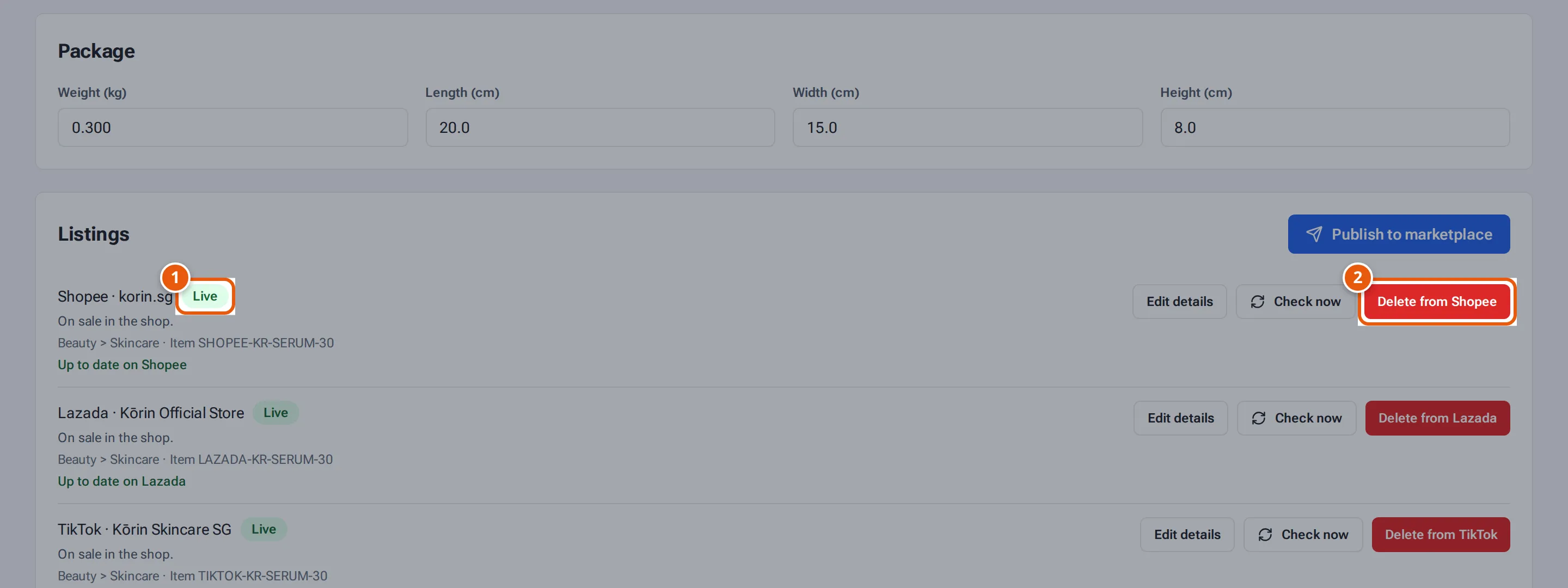
- 1. A listing on the marketplace.
- 2. Delete it from the shop. The product stays in theopsroom.
Tap or click the picture to open it full size. -
Confirm: “Delete “…” from Shopee · …? This removes it from the shop like deleting it in Seller Center. The product stays in theopsroom and can be published again later.”
-
You see “Deleted from Shopee · korin.sg.” (with the marketplace and shop). The listing then says “Deleted from Shopee on … by …”.
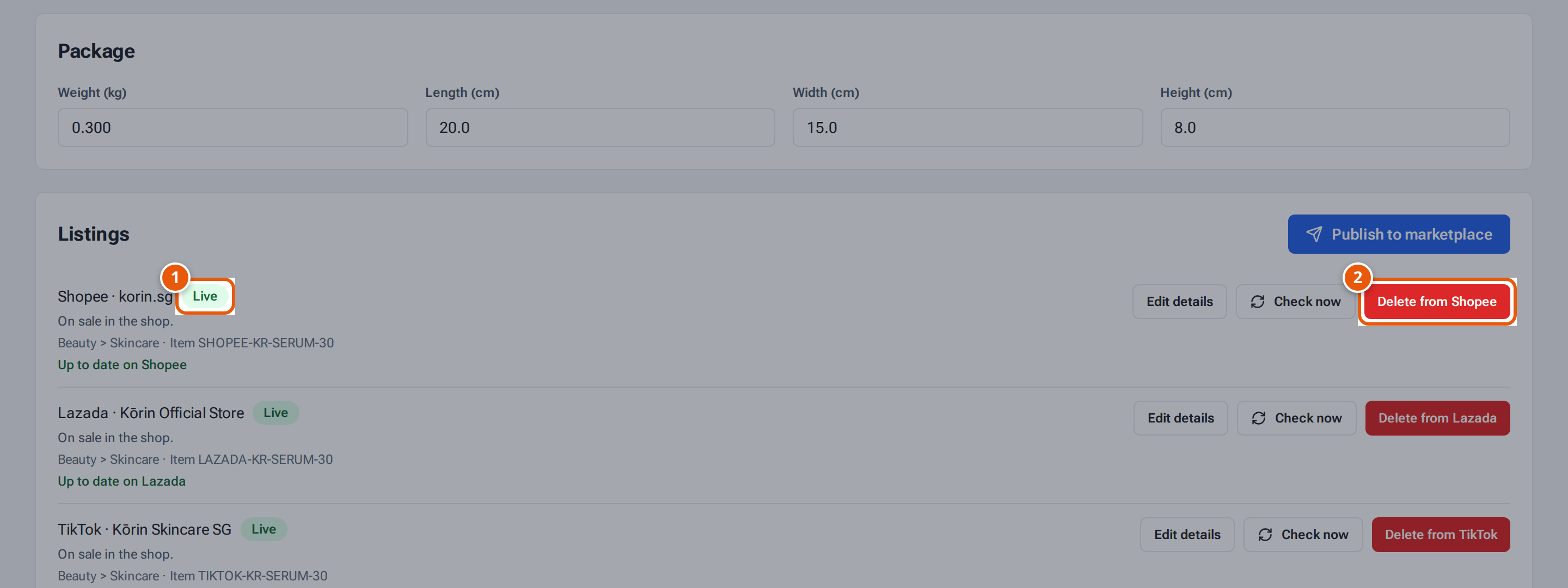
To list it again, use Publish again on that line (see Publish a product to a shop).
What each button and field means
Section titled “What each button and field means”| Item | What it means |
|---|---|
| Delete from … | Remove this listing from that shop only. Other shops’ listings stay. |
| Publish again | Shown after the listing is removed: publish it to the shop again. |
If something goes wrong
Section titled “If something goes wrong”| Message | Why | What to do |
|---|---|---|
| “This listing is being published — wait until it is sent, then delete it” | Publishing is under way. | Wait a minute and try again. |
| “Only listings on the marketplace can be deleted” | It never reached the marketplace (e.g. a draft). | Nothing to delete there. |
| “Only admins can do this” | You’re not an admin. | Ask an admin. |