

Invite someone
People get into theopsroom with an invite link. You make the link and send it to them yourself (by email, chat or any way you like). theopsroom doesn’t email it. They open it, choose a password, and they’re in.
-
Open Admin → Users and click Invite user.
-
Type their Email.
-
Choose their Role: Staff, Admin or Seller.
-
For a seller, choose the Client they belong to. Sellers see only that client’s data.
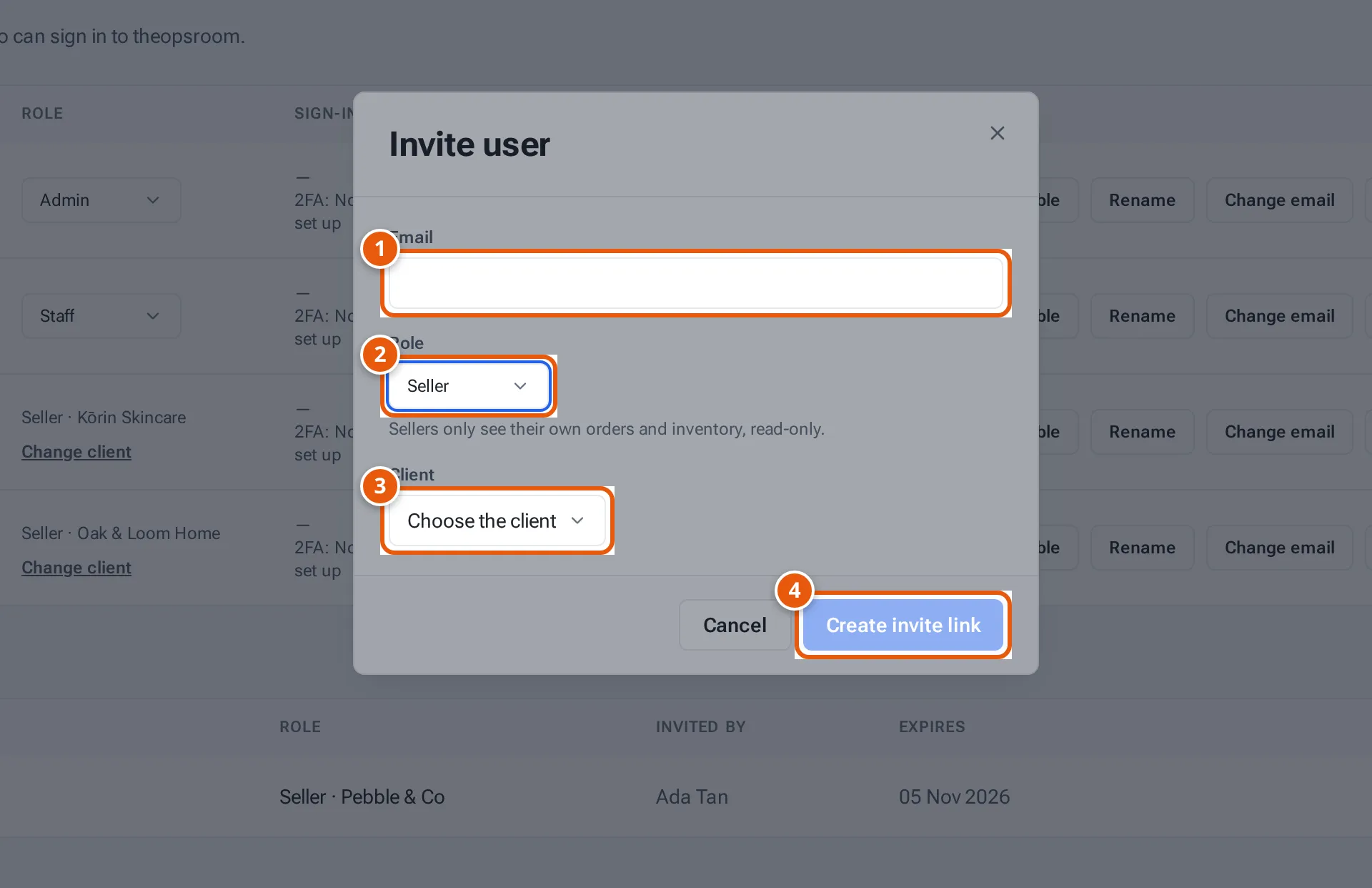
- 1. Their email address.
- 2. Their role: Staff, Admin or Seller.
- 3. For a seller: the client they belong to.
- 4. Make the invite link to send them.
Tap or click the picture to open it full size. -
Click Create invite link. The Invite link window opens with the link and the note “Send this link to them — it works once and expires in 7 days.”
-
Click Copy, then Done, and send the link to the person.
When they open it, they see Accept an invite.
Pending invites
Section titled “Pending invites”Invites nobody has used yet are listed under Pending invites on the Users page.
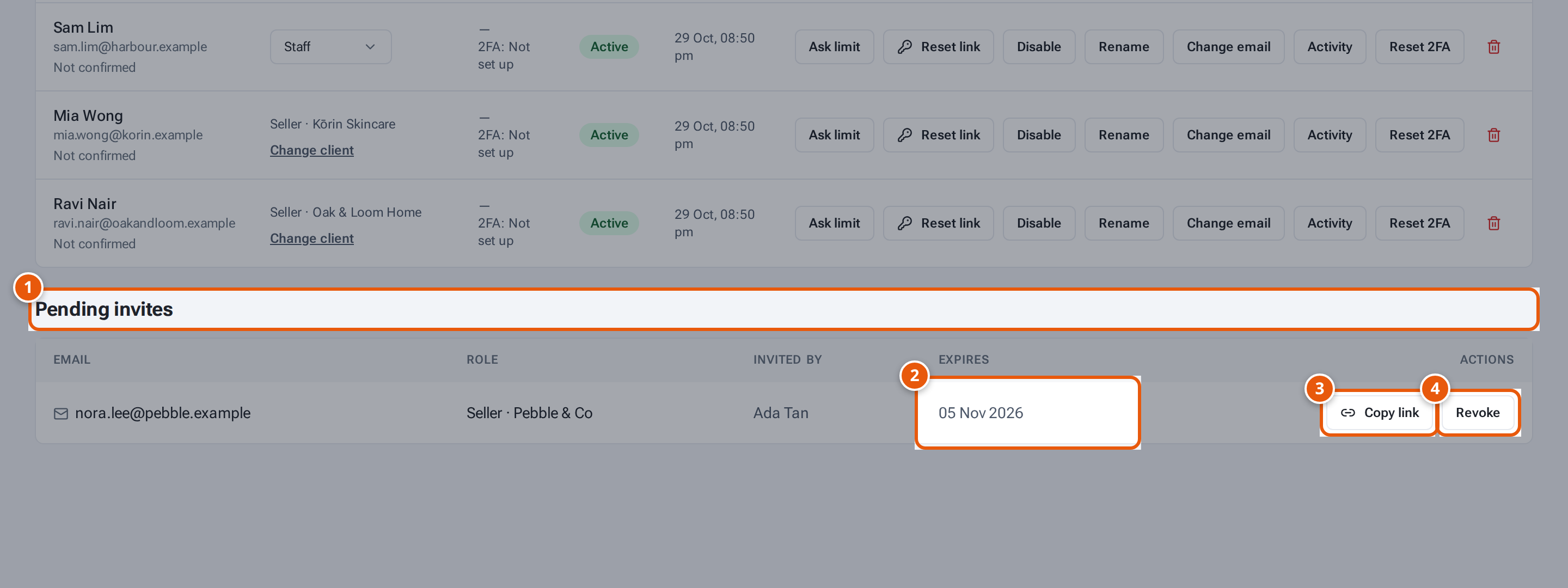
- 1. Invites nobody has used yet.
- 2. When the link stops working.
- 3. Show the link again to send it.
- 4. Cancel the invite: the link stops working.
- Copy link shows the link again, to resend it.
- Revoke cancels the invite: the link stops working. You see “Invite revoked.”
What each button and field means
Section titled “What each button and field means”| Item | What it means |
|---|---|
| Staff | Works in the warehouse: orders, packing, stock, returns, invoices. No Admin area. |
| Admin | Everything staff do, plus Clients, Users, Settings and connecting shops. |
| Seller | A seller’s own login. Sees only their client’s orders, stock, products, returns and invoices. |
| Client | The seller’s client. You can move them later with Move a seller. |
| Expires | When the link stops working (7 days after you made it). |
If something goes wrong
Section titled “If something goes wrong”| Message | Why | What to do |
|---|---|---|
| Create invite link is greyed out | Seller chosen without a client. | Choose the Client. |
| “This person already has an account” | Someone already signs in with this email. | Find them in the list; if disabled, click Enable. |
| “Choose the client this seller belongs to” | No client chosen for a seller. | Choose the client. |
| The link has expired | 7 days passed, or it was used or revoked. | Revoke the old invite if it’s still listed, and make a new one. |